How to do a football watchalong on YouTube or Twitch: the complete guide
A watchalong is watching the match at the same time as your community and commentating live — without showing the pictures you have no right to rebroadcast. It is the format that has made football channels explode over the last three years: no TV rights needed, just you, your camera, your chat and graphics that carry the information. On this page: the legal frame, the gear, the OBS setup step by step, the spoiler-free score, and what makes a watchalong retain viewers (or not).
What a football watchalong is — and what it is not
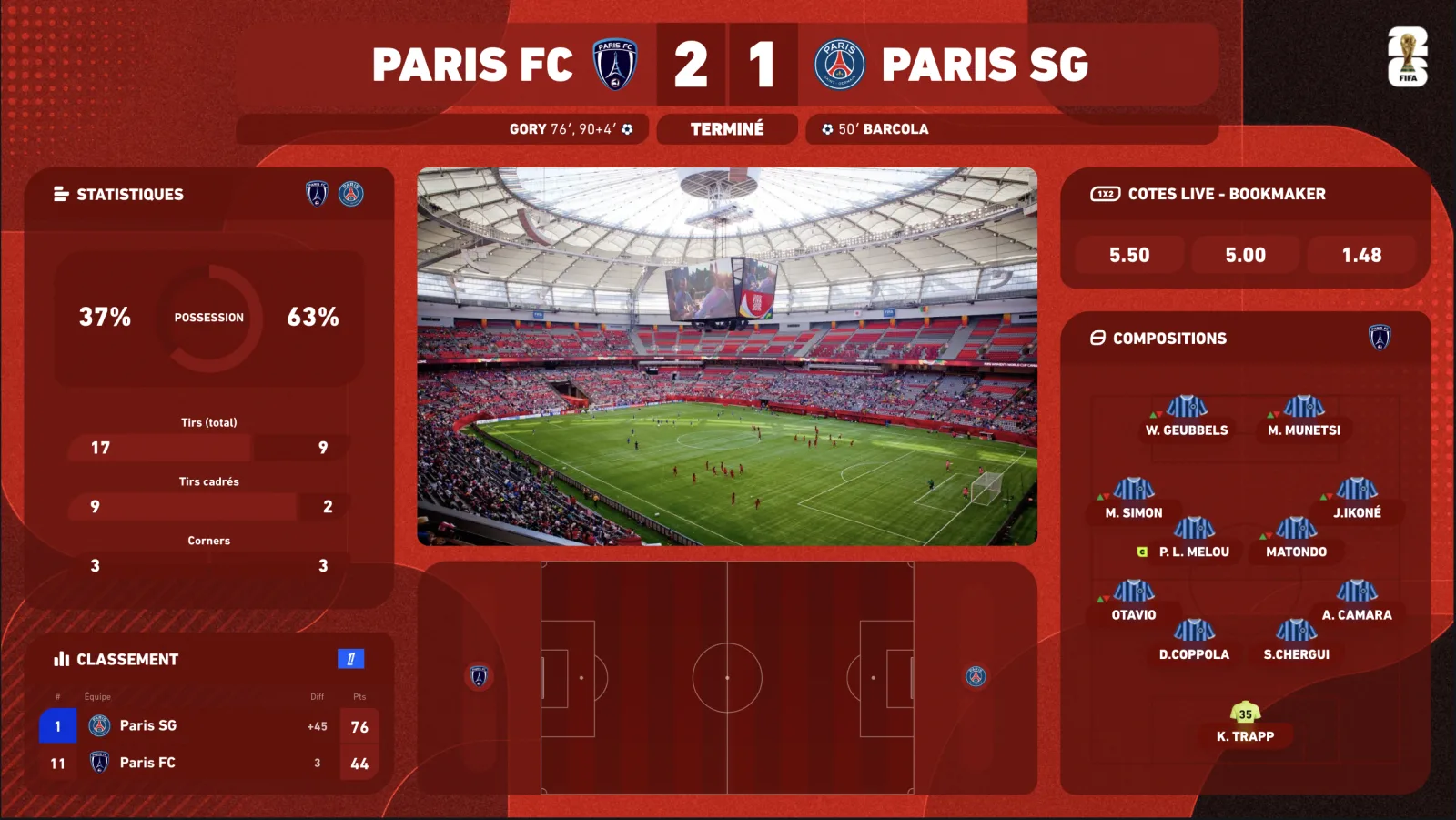
The principle: your viewers watch the match on their broadcaster (TV channel, official streaming platform) and watch you, in parallel, react live. Your stream shows your camera, your set, your overlay — never the match video feed. That is what makes the format legal, and also what makes it demanding: without pictures, your graphics and your reactivity carry the information.
- What you show: your camera, your chat, the live score, lineups, stats, the match radar, your guests.
- What you do not show: the match pictures, even small, even “for a few seconds”. That is a guaranteed YouTube strike or Twitch ban — and the end of your channel.
- What your viewers do: match on one screen, you on the other (or picture-in-picture on mobile). They pick you because you react better than the official commentator.
The legal frame: showing the score, yes; the pictures, no
Broadcasting rights protect the video feed of the match. Factual data — score, minute, scorers, cards, statistics — is not covered: you can display it in your live, just as a results website does. Best practice is to go through a licensed data provider (which is what InPlayStudio does) rather than copying a website by hand.
- No video rebroadcast, no clips, no goal replay — not even 5 seconds.
- No broadcaster audio in the background (official commentary is protected too).
- Score, stats, lineups, radar: fine via a licensed data provider.
- Music: only royalty-free tracks or those covered by the platform.
- Competition logos and names: informative use in graphics, yes; implying a partnership, no.
The minimum gear (and what really makes the difference)
- A decent PC or Mac — video encoding + OBS + a browser source run on any recent machine; a GPU helps.
- A camera — 1080p webcam or DSLR/mirrorless over HDMI through a capture card. Your face is the main content: invest here first.
- A microphone — USB (dynamic preferably) or XLR. Bad sound drives people away faster than bad picture.
- Two screens — the match on one, OBS + chat on the other. Essential to stay reactive.
- Lighting — one LED panel is enough to go from “bedroom webcam” to “studio”.
- A Stream Deck (optional) — to trigger widgets and scenes without leaving the camera.
- A connected overlay — it replaces the pictures: score, lineups, stats, radar in real time.
Setting up OBS for a watchalong: 6 steps
-
01
Create your “Match” scene
Sources: your camera (fullscreen or framed), your chat (browser source from your platform), and the InPlayStudio overlay as a 1920×1080 browser source on top. Transparent background: the overlay sits cleanly on the camera.
-
02
Add a “Pre-match” and a “Half-time” scene
Pre-match: camera + lineups + pre-match/standings. Half-time: camera + stats + a break visual. You switch between them with one key.
-
03
Set your audio
Microphone only, possibly a royalty-free track at low volume before kick-off. No broadcaster sound. A compressor + noise gate on the mic, and a recording test before every live.
-
04
Align the spoiler-free delay
Your broadcast runs 20 to 60 s behind the live action. Measure it (compare the match clock to your overlay clock as a viewer sees it), enter it in the delay control: the score lands when your viewers see the action, never before.
-
05
Prepare your triggers
On the dashboard or Stream Deck: lineups, stats, goal fullscreen, radar, multi-score. A goal = one key = a celebration on screen.
-
06
Test with a private live
Run an unlisted live on a real match once before your first public watchalong: delay sync, audio levels, widget positions, mobile legibility.
What makes a watchalong retain viewers
- Consistency — every match of your club, even the least anticipated. Your audience builds the habit.
- Reactivity — the goal must trigger your reaction at the same time as your viewers': hence the spoiler-free, real-time score.
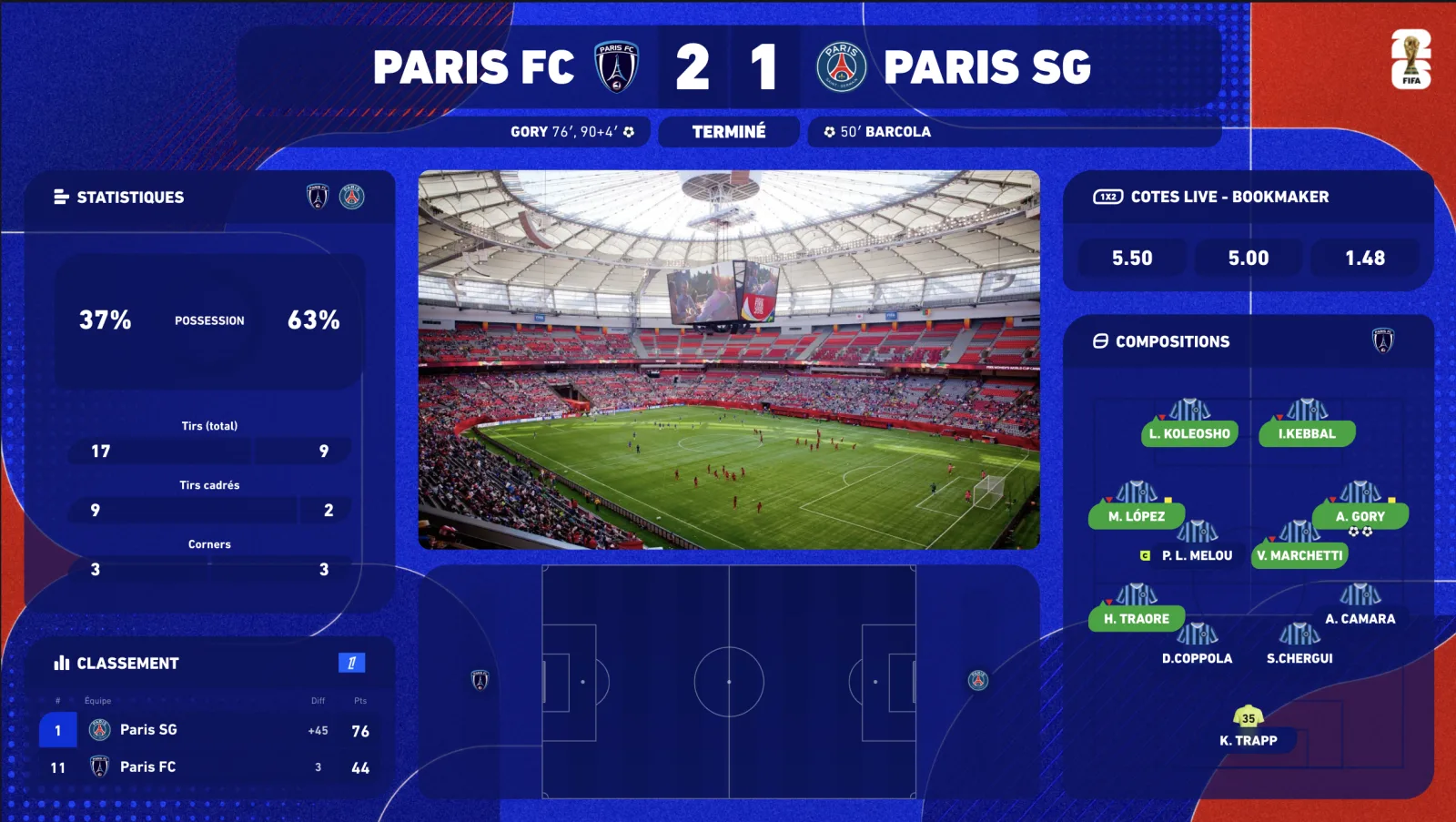
- Information — lineups as soon as they drop, stats at half-time, live table: what your chat argues about, you display.
- Graphics — an overlay in the competition's or your club's colours turns a “bedroom stream” into a show. It is the first signal of seriousness, before you even speak.
- Title and thumbnail — “ARSENAL v LIVERPOOL: LIVE WATCHALONG” with both crests and your face. The live must be findable an hour before kick-off.
- Community — moderators, polls (“man of the match?”), regular guests, a 10-minute debrief after the final whistle.
Monetising a watchalong
The watchalong monetises well because it is recurring and community-driven: channel memberships (YouTube Memberships, Twitch subs), Super Chats and donations during key moments, local or niche sponsors (bars, shirt shops, apps), and above all converting live viewers into subscribers of your other content. Professional graphics directly raise perceived value — and what you can charge a sponsor for a logo in your overlay.
How much does it cost?
Three self-serve plans, with a 7-day free trial (card required, €0 today, cancel in two clicks) and -20% on annual billing. Competition themes are added à la carte, any time, without changing plan.
- Starter — €69/month: the 5 essential widgets (including the scorebug), real-time premium data, Stream Deck.
- Premium — €149/month: everything in Starter + animated 2D/3D radar, pre-match & standings, player ratings, fullscreens, 1 competition theme of your choice included free — 16 widgets in total.
- Premium White-label — €249/month: Premium without watermark, 100% your brand, priority support.
- Extra competition themes: €9.99/month per theme, switched on and off from your customer area.
Frequently asked questions
Is a football watchalong legal?
Yes, as long as you rebroadcast neither the pictures nor the audio of the match. You show your camera, your chat and data graphics (score, stats, lineups) from a licensed provider.
Can I show the match small in a corner?
No. Any rebroadcast of the video feed, even reduced or brief, infringes broadcasting rights: YouTube strike, Twitch ban, and legal risk. The watchalong relies on your viewers having their own access to the match.
How do I avoid spoiling my viewers with the score?
With an overlay that has a delay control: you align the score to your real broadcast delay (usually 20 to 60 s), and it appears exactly when your viewers see the action.
YouTube, Twitch or TikTok Live for a football watchalong?
YouTube for the football audience and discovery (the live surfaces in search and on the home feed); Twitch for interaction and subs; TikTok Live for the vertical format and a younger audience. Many creators run YouTube + a multistream.
How long until I am ready?
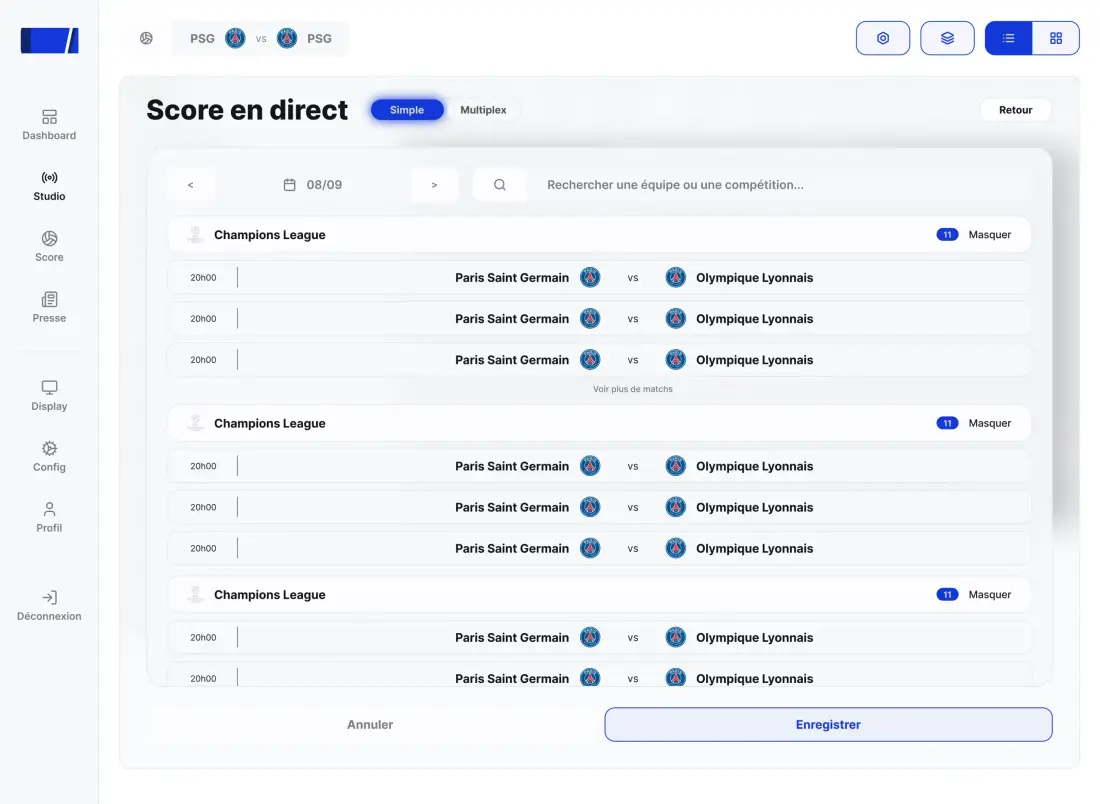
One evening for the gear and OBS, under an hour to install the overlay (onboarding included), then two minutes per match to select the fixture.
Do I need an overlay to start?
You can start without one, but without pictures it is the graphics that give your viewers the information: live score, lineups, stats. That is what separates an amateur live from a show — and what your audience compares with other watchalongs.

