Football overlay: the complete guide
A football overlay is the graphics layer displayed on top of your stream during a match: score, clock, stats, lineups. It is what separates an amateur live from a TV-grade broadcast. On this page: what an overlay is, how to install one in OBS step by step, the decisive difference between a static template and an overlay wired to live data — and how to be online in under an hour.
Live in OBS in 5 minutes • Monthly, no commitment
Already on air with L'immigré Parisien, Le Journal du Real, Real France and TonyoTv
What exactly is a football overlay?
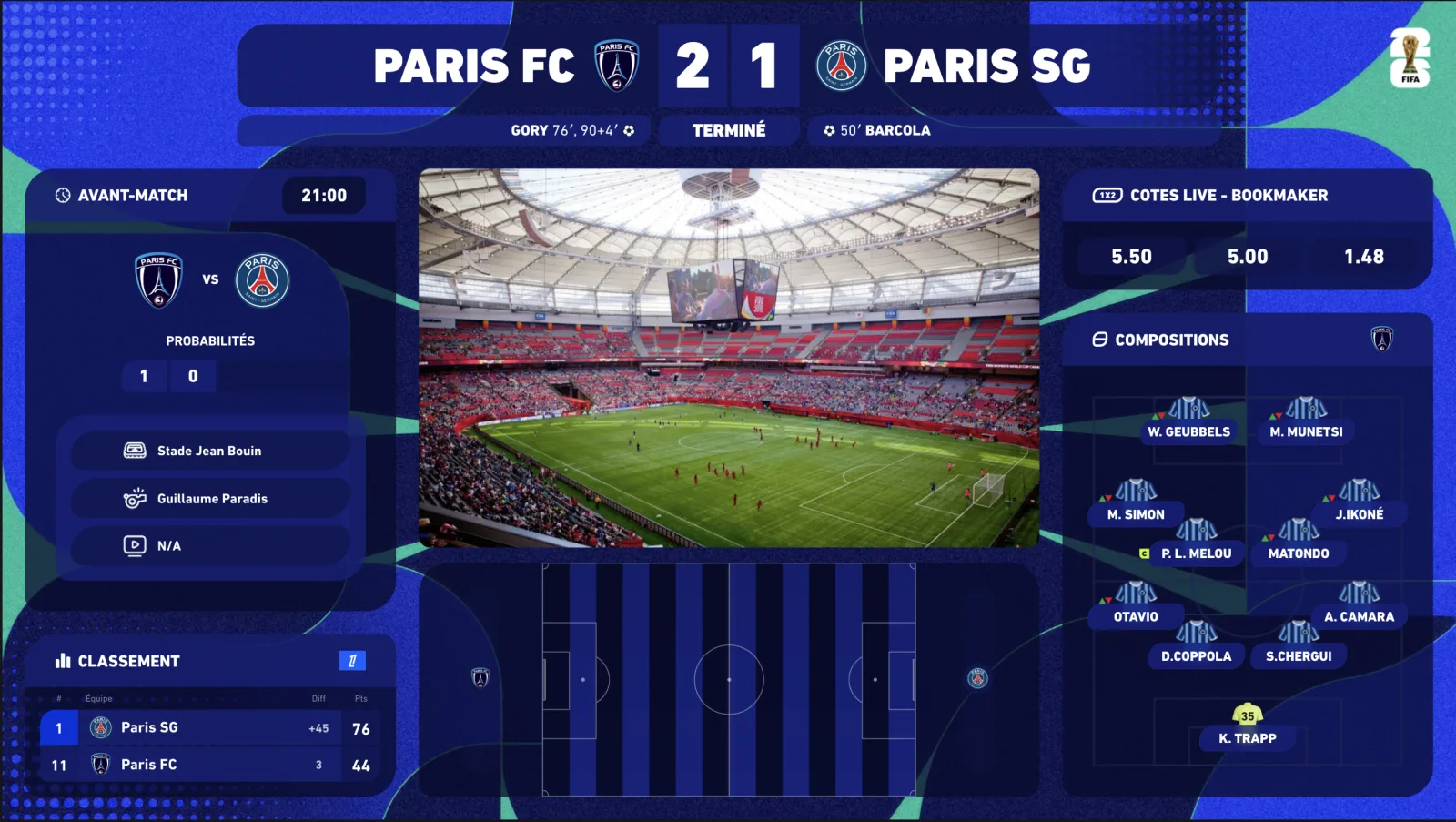
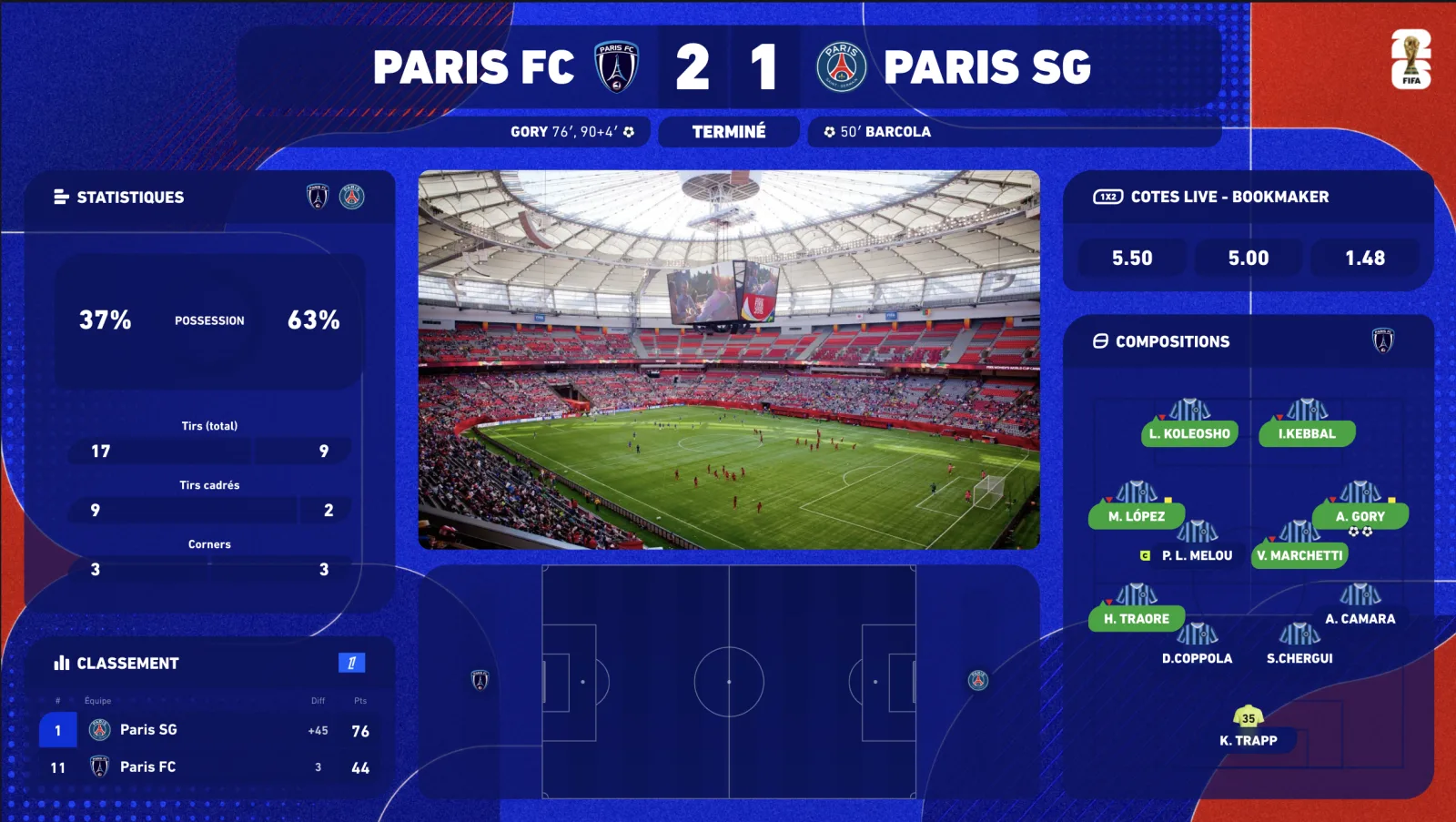
An overlay is a transparent graphics layer sitting on your OBS scene (or vMix, Streamlabs, XSplit), above your camera. During your live — watchalong, pre-match show, club coverage — it continuously displays what your viewers expect: the score, the match minute, scorers, cards, stats (xG, possession, shots) and lineups.
There are two families of overlays. Static templates: images you update by hand during the match — changing the score after every goal, restarting the clock at half-time. And connected overlays: widgets wired to a football data provider, updating on their own, in real time, while you commentate.
- Scorebug — the score + clock strip, the must-have of any match stream.
- Live stats — xG, possession, shots on target, corners: updated on every action.
- Lineups — starting elevens, numbers, formations, substitutions.
- 2D/3D radar — ball position and match momentum, animated on a virtual pitch.
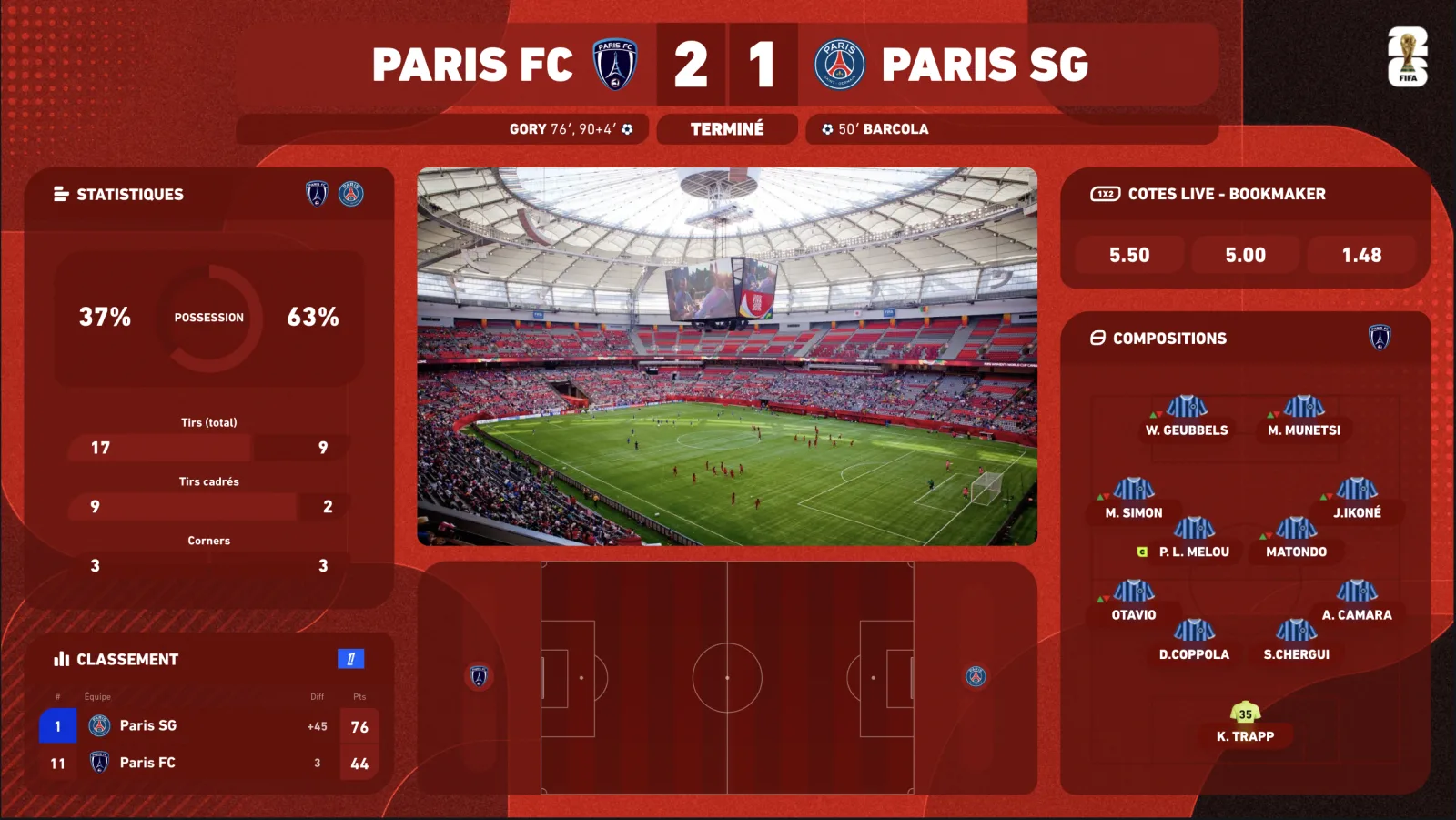
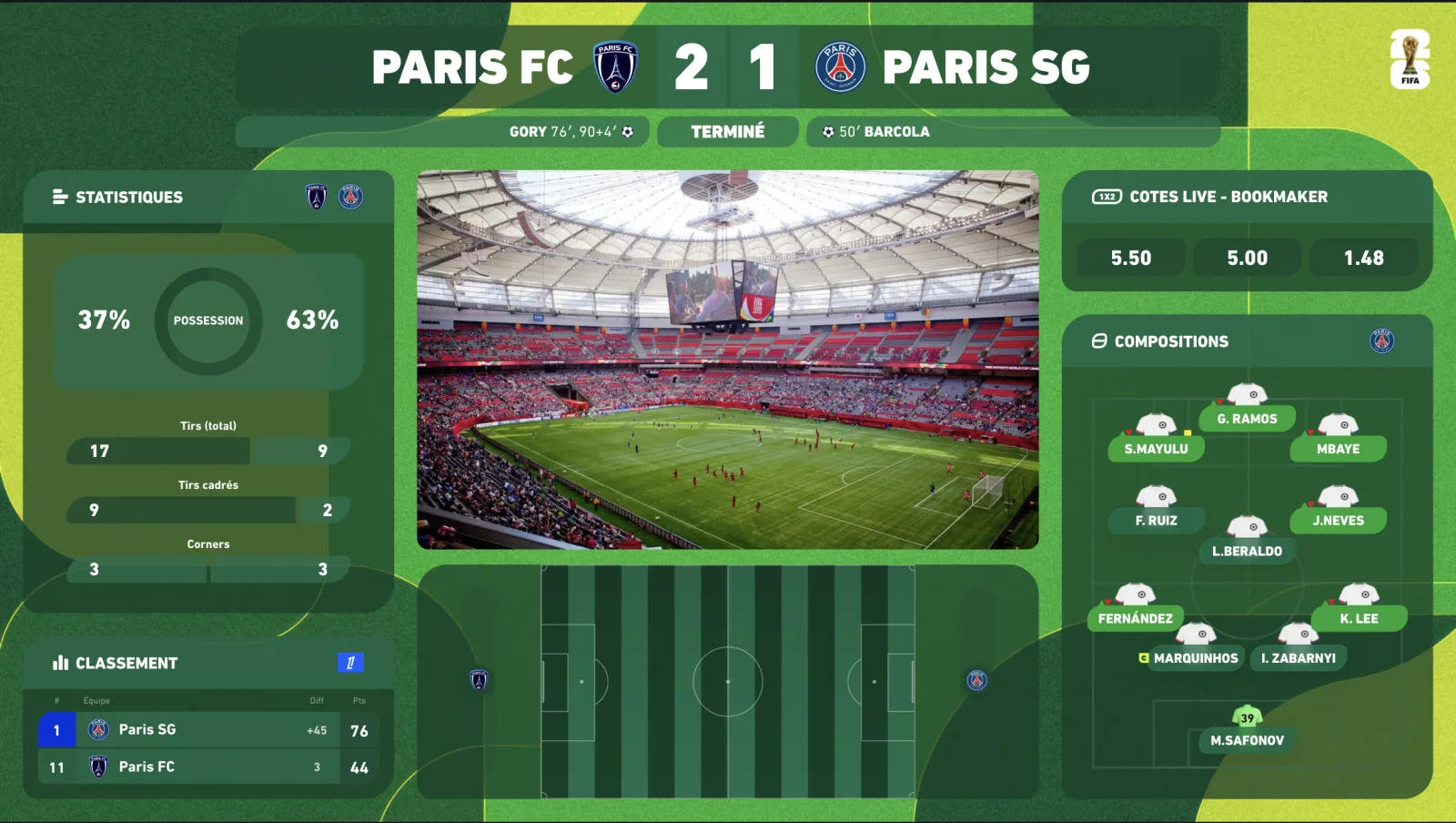
- Competition skins — Premier League, Champions League, AFCON, EURO or your club's colors.
Installing your overlay in OBS: 5 steps
With a connected overlay like InPlayStudio, integration is one browser source. No plugin, nothing to download: one URL, and the overlay runs on its own. The procedure is identical on OBS Studio, Streamlabs and vMix.
-
01
Create your account and pick your match
Sign up (your plan unlocks every widget it includes), then select the match you are covering in the dashboard. Every major league is covered by our premium data providers.
-
02
Copy your overlay URL
The dashboard generates a unique, private display URL for your channel. It carries your whole setup: widgets, theme, colors, language.
-
03
Add a “Browser” source in OBS
In your scene: Sources → + → Browser. Paste the URL, set the size to your output resolution (typically 1920×1080). Transparent background: the overlay sits cleanly on your camera.
-
04
Position and lock the source
Place the scorebug (classically at the top), stats and widgets where you want them. Lock the source to avoid accidental clicks mid-live.
-
05
Drive everything live, without leaving your camera
Show or hide each widget from the dashboard or your Stream Deck (plugin included): lineups before kick-off, stats at half-time, a celebration fullscreen after a goal. The score updates by itself.
First setup: under one hour, onboarding included. Every following match: two minutes — the time to select the fixture.
Static template or connected overlay?
This is THE structural choice. A one-time template looks cheap — but it turns you into a graphics operator during your own show: every goal, card and substitution is a manual edit to perform live. While you are supposed to be commentating.
✗Static template
✓InPlayStudio connected overlay
01
✓ Score synchronized automatically from kick-off
02
✗ Clock restarted every half
✓ Clock driven by official match data
03
✗ No stats, or copied from a third-party site
✓ xG, possession, shots — real time inside the overlay
04
✗ Lineups typed one by one before the match
✓ Starting elevens and substitutions, automatic
05
✗ One frozen design, paid revisions
✓ Competition and club skins, switched in one click
06
✗ Risk of spoiling your viewers if your feed lags
✓ Anti-spoiler: the score displays in sync with YOUR broadcast
The delay deserves a word, because a static graphics pack can do nothing about it: in a watchalong, your broadcast runs 20 to 60 seconds behind the live action. An overlay wired to raw data would show the goal BEFORE your viewers see it — the worst possible spoiler. InPlayStudio ships a delay control: you sync the overlay to your feed, and the score lands exactly when the action happens on screen.
What makes a truly professional overlay
- Fast, reliable data — our widgets run on the same premium providers broadcasters use: updates within a fraction of a second.
- Broadcast-grade design — typography, animations and transitions on par with what your viewers see on TV.
- Live control — dashboard + Stream Deck to drive everything without alt-tabbing mid-stream.
- Customization — your colors, your logo, your sponsors, plus competition and club themes via the marketplace.
- Multilingual — overlays in English, French, Spanish and Portuguese.
- Reliability — 99.9% uptime. An overlay that crashes mid-match is worse than no overlay at all.
Built for the UK football calendar
British creators live on a calendar no other market has: the Saturday 3pm blackout — no live TV pictures in the UK for the 3pm kick-offs — which is exactly why data-driven streams and watchalongs draw their biggest audiences at that hour. Add midweek Carabao Cup and FA Cup rounds, the Boxing Day pile-up, and European nights on Tuesday–Thursday, and your overlay has to switch competitions several times a week without a redesign.
- Premier League — every fixture, plus the Saturday multi-score with a live table for the 3pm slot.
- EFL Championship, League One and League Two — full data coverage for the lower-league channels that thrive on the blackout.
- FA Cup and Carabao Cup — cup nights covered, replays and penalties included.
- Champions League, Europa League, Conference League — one theme per cup, switched between two lives.
- Scottish Premiership and the major European leagues (LaLiga, Serie A, Bundesliga, Ligue 1) for the continental watchalongs.
See the dedicated Premier League overlay and Champions League overlay pages for the competition-specific setups, and the football scoreboard for OBS guide if the scorebug is all you need to start.
How much does it cost?
Static templates sell for a one-off €20–70 — but your live editing time and the missing data carry an invisible cost every single match. Professional connected solutions start around €69/month. InPlayStudio offers three self-serve plans, all with -20% annually:
- Starter — €69/month: the 5 essential widgets (scorebug included), competition & club skins, real-time premium data, Stream Deck.
- Premium — €149/month: everything in Starter + animated 2D/3D radar, pre-match & standings, player ratings, fullscreens — 16 widgets in total.
- Premium White-label — €249/month: Premium without the watermark, 100% your brand.
- Enterprise — custom quote: bespoke design, every widget and theme, dedicated support.
Frequently asked questions
Does the overlay work with OBS, Streamlabs and vMix?
Yes. It integrates as a browser source, a standard supported by OBS Studio, Streamlabs, XSplit, vMix, Wirecast and every modern streaming software. One URL — no plugin, no download.
Am I allowed to display a match's score and stats on my stream?
Yes. Factual match data (score, minute, statistics) is not covered by the video broadcast rights. InPlayStudio provides licensed data through premium providers — you never show the match footage, only the data graphics of your own show.
Can the score spoil my viewers if my stream is delayed?
Not with the delay control: you sync the overlay to your actual broadcast delay, and the score updates exactly when your viewers see the action.
Which competitions are covered?
Every major league and international competition: Premier League, La Liga, Serie A, Bundesliga, Ligue 1, Champions League, Europa League, AFCON, EURO, World Cup, and many more through our premium data providers.
Can I match the overlay to my club's or channel's colors?
Yes: competition themes included with your plan, club themes available in the marketplace, and full customization (logo, colors, sponsors) on Enterprise.
How long until I'm live?
Under one hour for the first setup, onboarding included. You can stream with your overlay the very day you sign up — your plan unlocks all its widgets immediately.

