Football scoreboard for OBS: the live score that updates itself
A scoreboard (or scorebug) is the score + clock strip at the top of your match stream. It is the widget your viewers look at most — and the one that exposes an amateur stream fastest when it is wrong, late or ugly. On this page: the three ways to show a football scoreboard in OBS, why manual scoreboards always let you down mid-match, and how to plug in an automatic scoreboard in five minutes.
The three kinds of football scoreboard for OBS
Search “scoreboard OBS” and you find three families of tools. They have nothing in common when it comes to workload during the live.
- The image scoreboard — a PNG or a template bought on a marketplace, edited by hand. Free or nearly, but every goal, every card, every half-time is a manual edit performed live.
- The manual controlled scoreboard — an OBS plugin or a web app (the free scoreboard generators) with +1 / -1 buttons and a clock to start. Cleaner, but you are still the operator: you type the score while you commentate.
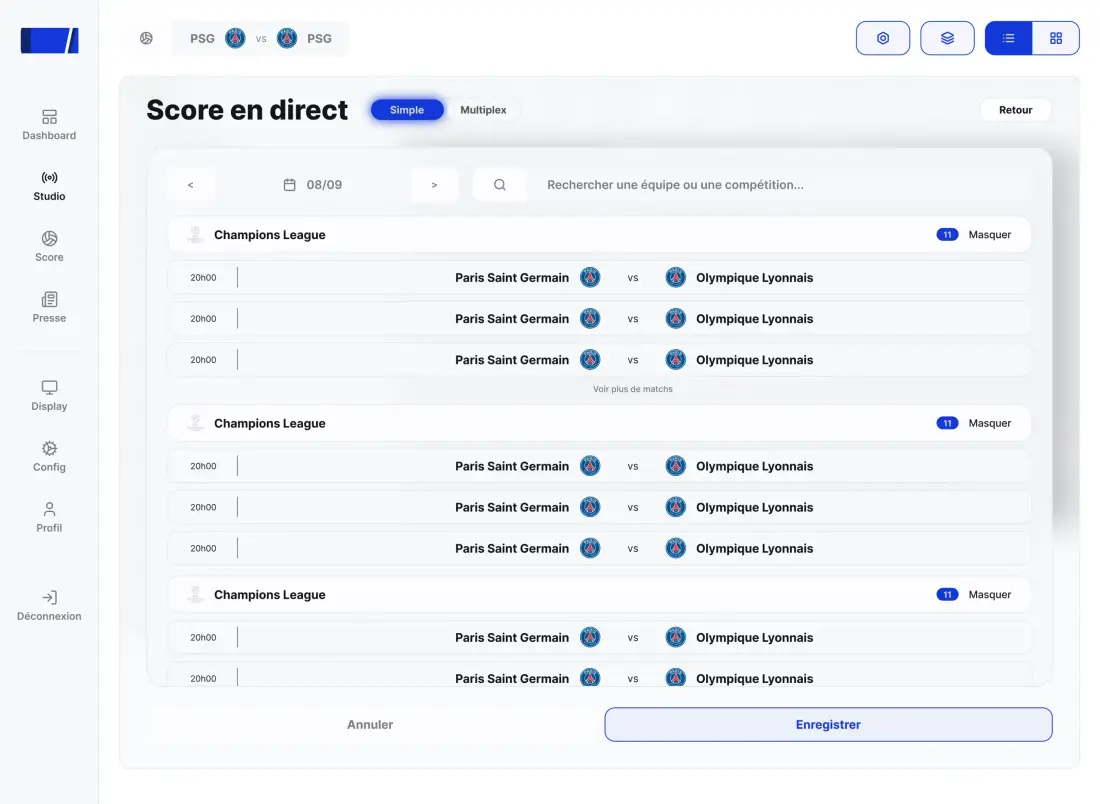
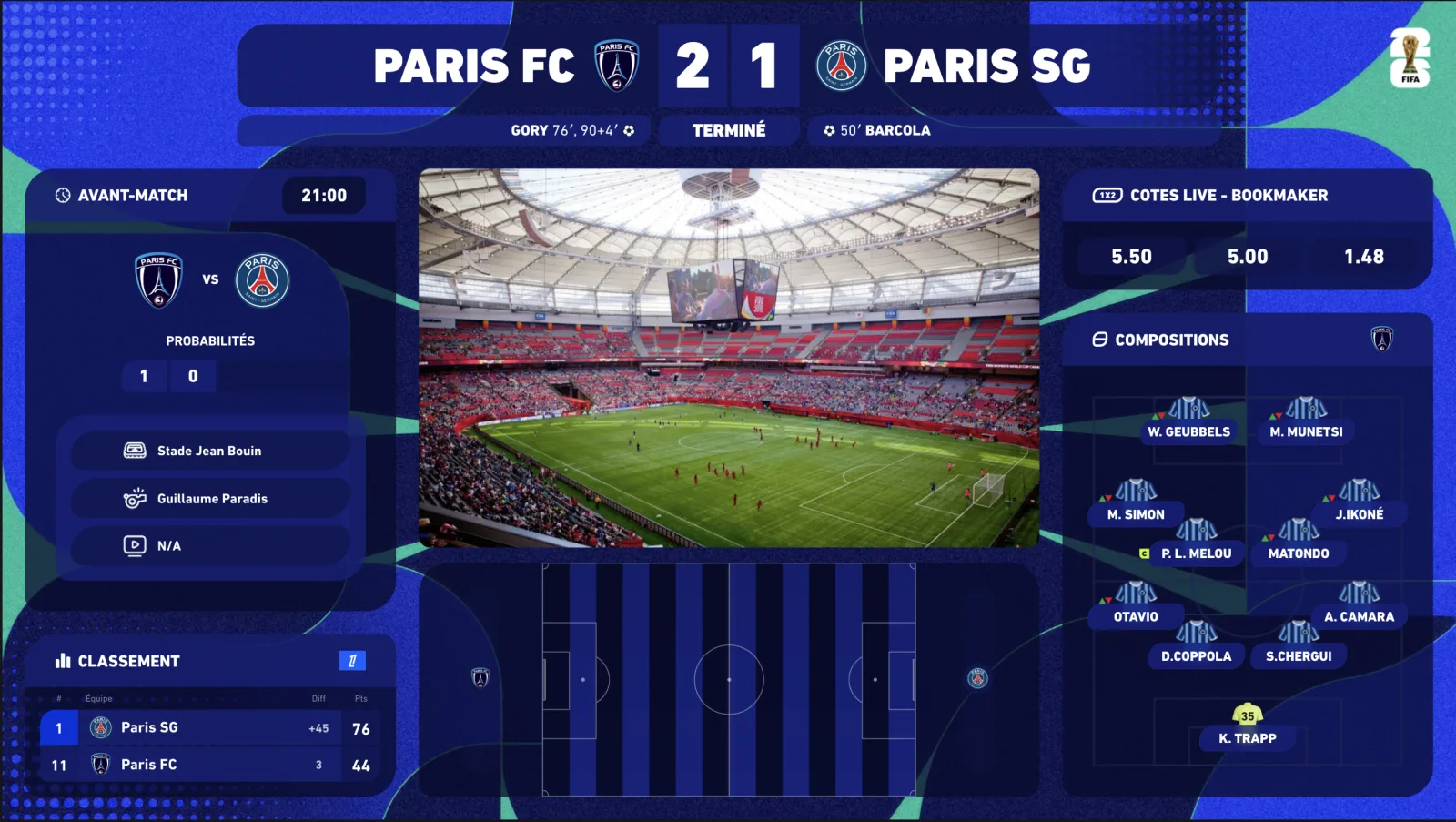
- The connected scoreboard — a widget wired to the official match data: score, minute, scorers, cards, stoppage time update on their own. You commentate, it displays. That is what InPlayStudio does.
The difference does not show in the pre-match. It shows in the 89th minute, when two goals go in within three minutes and you are reacting on camera.
Why a manual scoreboard ends up letting you down
✗Manual scoreboard (image or plugin)
✓InPlayStudio connected scoreboard
01
✗ You type the score after every goal — often late
✓ Score synced to official data, to the second
02
✗ Clock started by hand, drifts, forgets stoppage time
✓ Clock driven by match data, stoppage time included
03
✗ No scorers, no cards — or typed into a text field
✓ Scorers, cards, substitutions displayed automatically
04
✗ If your stream lags, you spoil your own chat
✓ Spoiler-free: the score displays in sync with YOUR broadcast
05
✗ Generic design, never in the competition's colours
✓ Premier League, Champions League, EFL… skin in one click
06
✓ Multi-score for the Saturday 3pm slot
The point that changes everything for watchalongs is the spoiler-free behaviour. Your YouTube or Twitch broadcast runs 20 to 60 seconds behind the action. A scoreboard wired to raw data would show the goal BEFORE your viewers see it. InPlayStudio ships a delay control: you align the scoreboard to your feed and the goal lands exactly when the action happens on screen.
Installing an automatic football scoreboard in OBS
No plugin to install: the scoreboard is added as a browser source, like any web page. The procedure is the same in OBS Studio, Streamlabs, XSplit and vMix.
-
01
Create your account and select the match
Every widget of your plan is unlocked as soon as you subscribe. Pick in the dashboard the match you are covering: Premier League, EFL, cups and European competitions are all covered.
-
02
Copy your overlay URL
The dashboard generates a private URL for your channel. It carries your whole setup: scoreboard, other widgets, theme, language.
-
03
Add a Browser source in OBS
Sources → + → Browser → paste the URL. Width 1920, height 1080. Transparent background: only the scoreboard appears on your scene.
-
04
Position, lock, set the delay
Place the scoreboard at the top (left or centred, as on TV), lock the source, then enter your broadcast delay in the delay control.
-
05
Show or hide from the Stream Deck
The scoreboard stays on screen for the whole match; the other widgets (lineups, stats, goal fullscreen) fire with one key.
What a good scoreboard shows (and what it must not)
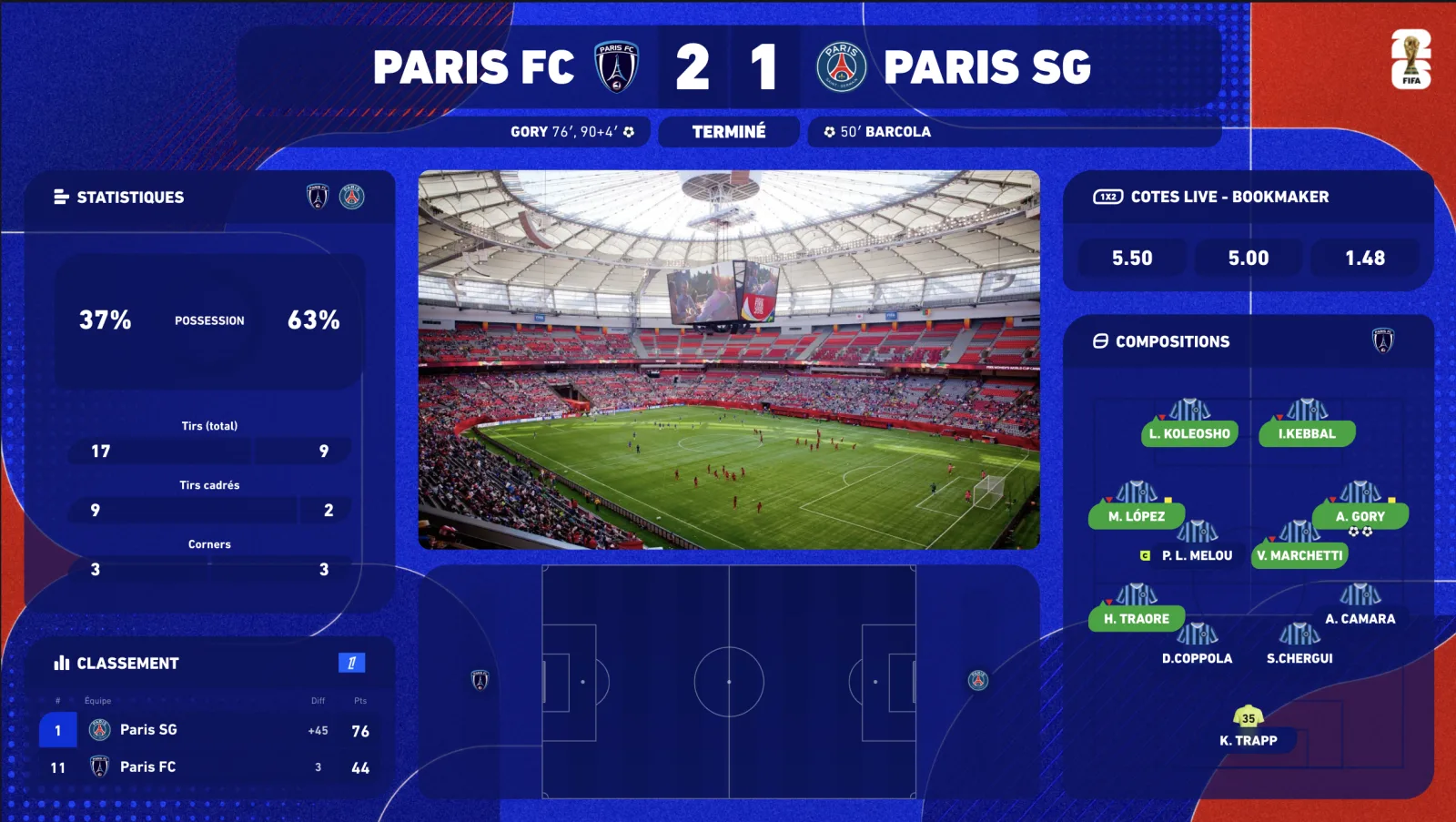
- Always: both teams (abbreviations or crests), the score, the match minute, stoppage time.
- At the right moment: the scorer who just scored, the red card, the substitution — then back to the essentials.
- Never: five lines of stats permanently in the strip. Stats have their own widget, shown when you talk about them.
- Legible when small: half your viewers watch on a phone. Strong type, sharp contrast, short animations.
- Consistent: scoreboard, lineups and stats share the same skin — the competition's or your club's.
How much does it cost?
Three self-serve plans, with a 7-day free trial (card required, €0 today, cancel in two clicks) and -20% on annual billing. Competition themes are added à la carte, any time, without changing plan.
- Starter — €69/month: the 5 essential widgets (including the scorebug), real-time premium data, Stream Deck.
- Premium — €149/month: everything in Starter + animated 2D/3D radar, pre-match & standings, player ratings, fullscreens, 1 competition theme of your choice included free — 16 widgets in total.
- Premium White-label — €249/month: Premium without watermark, 100% your brand, priority support.
- Extra competition themes: €9.99/month per theme, switched on and off from your customer area.
Frequently asked questions
Does the scoreboard work with OBS Studio, Streamlabs, vMix?
Yes. It integrates as a browser source, a standard supported by OBS Studio, Streamlabs, XSplit, vMix, Wirecast and any modern streaming software. One URL is enough.
Does the score really update on its own?
Yes: score, minute, stoppage time, scorers, cards and substitutions come from official match data via our premium providers — the same ones broadcasters use. You type nothing.
What if my stream lags behind the live action?
The delay control aligns the scoreboard to your real broadcast delay (usually 20 to 60 s): the goal appears when your viewers see it, never before.
Is there a free football scoreboard for OBS?
Yes, free manual generators exist: you type the score yourself during the live. InPlayStudio is paid because it is wired to official data and updates itself — and access is immediate once you subscribe.
Can I put the scoreboard in my club's or the league's colours?
Yes: competition themes (Premier League, Champions League, LaLiga, Serie A, Bundesliga, Ligue 1…) included depending on your plan, club themes in the marketplace, a fully branded display on Enterprise.
Can the scoreboard handle several matches at once?
With the Multiplex option: a synced multi-score shows every selected match with scorers and live table — built for the Saturday 3pm slot and Champions League nights.

